How to Withdraw Funds in 5paisa?

Withdrawing funds from this platform is very easy, but for this, you have to update your bank account because your money will be placed in your bank account from the 5paisa account. So for this, here we will learn how to withdraw funds in 5paisa.
Well, for new users, withdrawing funds from this platform can seem a bit trickery as it takes too much time to withdraw, or if you add funds and want to withdraw on the same day as adding funds, then you can’t, so if you want to withdraw your money then you need to withdraw your money day after tomorrow of adding fund.
Steps to withdraw funds in 5paisa
Here are the steps given below to withdraw funds in 5paisa:
- Open the 5 paisa app.

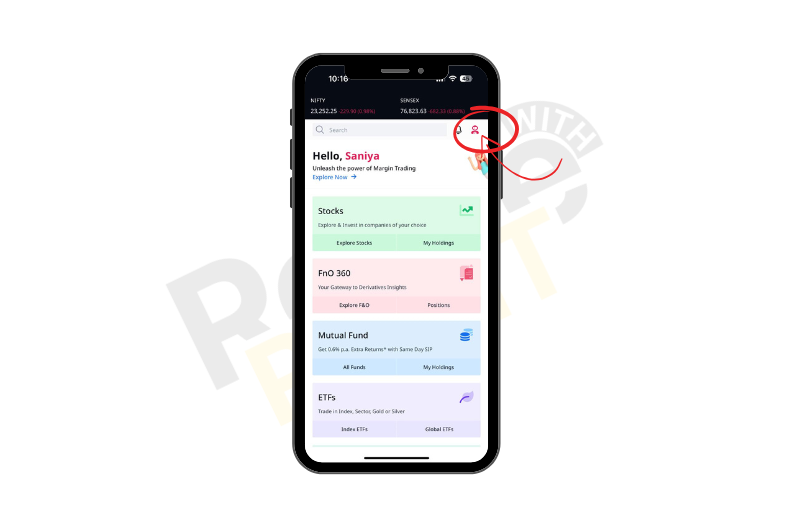
- Tap on the Profile icon.
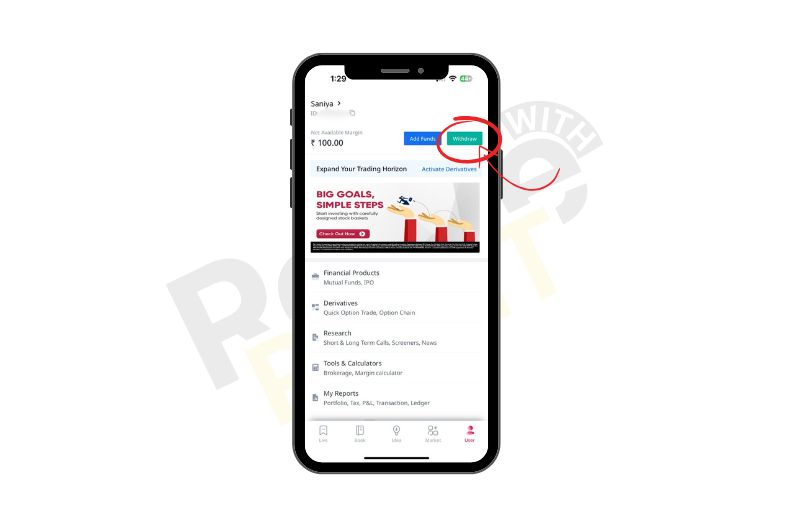
- Tap on the withdraw button.
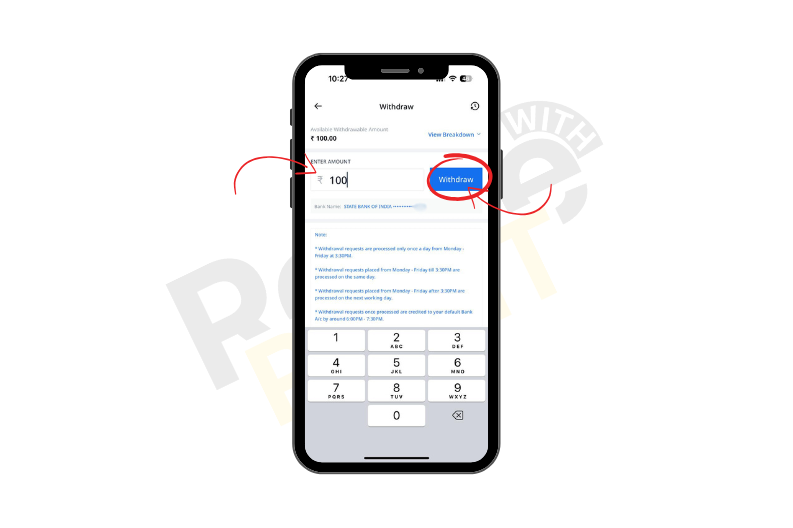
- Enter the amount, and click on the withdraw button.
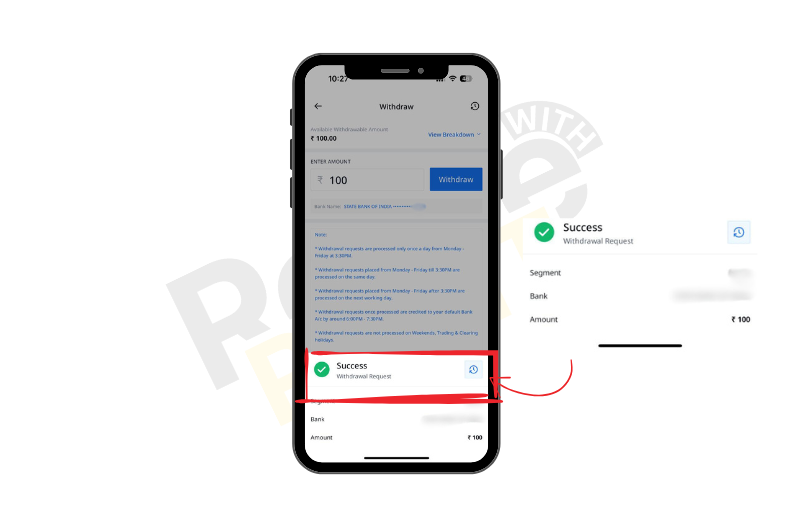
- Here, you are done with the withdrawal request, so it will take time to proceed successfully.
Conclusion
In conclusion, withdrawing funds from 5 paisa is easy as here you can transfer your funds from your 5 paisa account to your bank accounts, so always ensure that you have sufficient free balance and update your bank account as it will be transferred at your bank account.