How to Add a Bank Account in Coindcx?

Adding correct and updated bank account information is crucial at the time of adding and withdrawing fund transactions. This allows users to trade and invest in a wide variety of digital currencies. Here, we will discuss how to add a bank account in Coindcx.
In this platform, the user can only add a primary bank account, not a secondary one, so if the user wants to add a new bank account, then they need to remove the current bank account to add another one. So it means there is no option of adding a secondary bank account.
Step to Add a Bank Account in Coindcx?
Here are the step-by-step instructions to add a bank account in Coindcx:
- Open the Coindcx app.

- Tap on the profile icon.
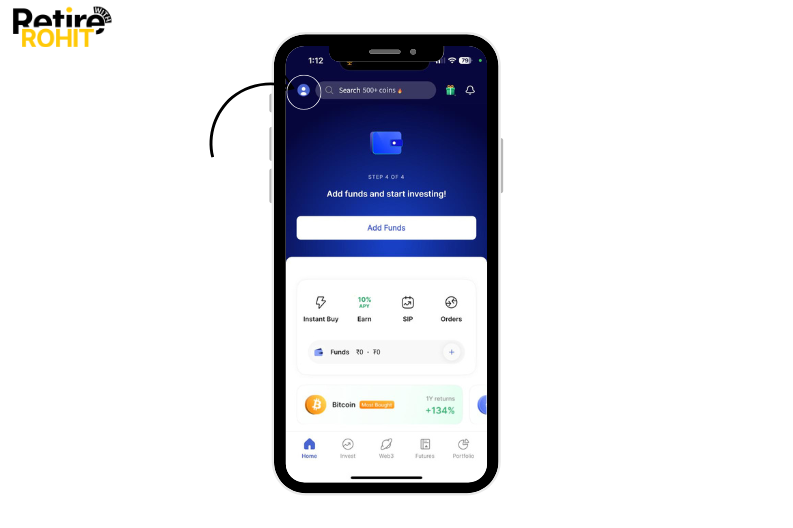
- Tap on the account setting.
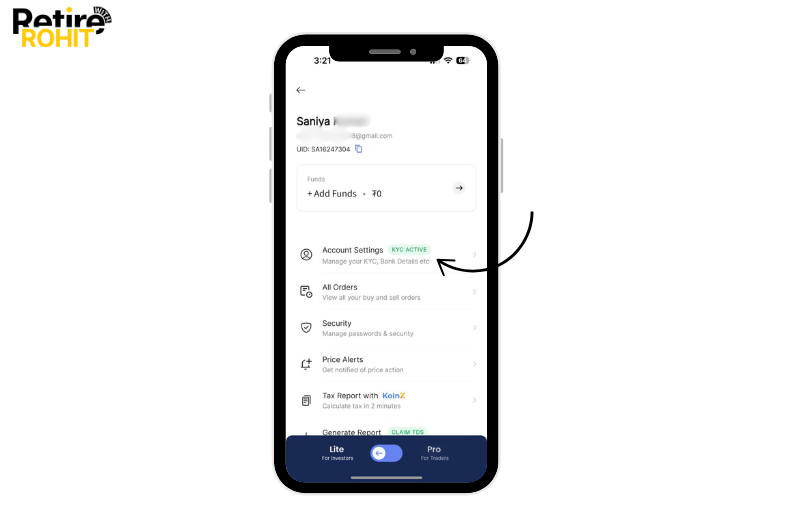
- Now tap on the account details.
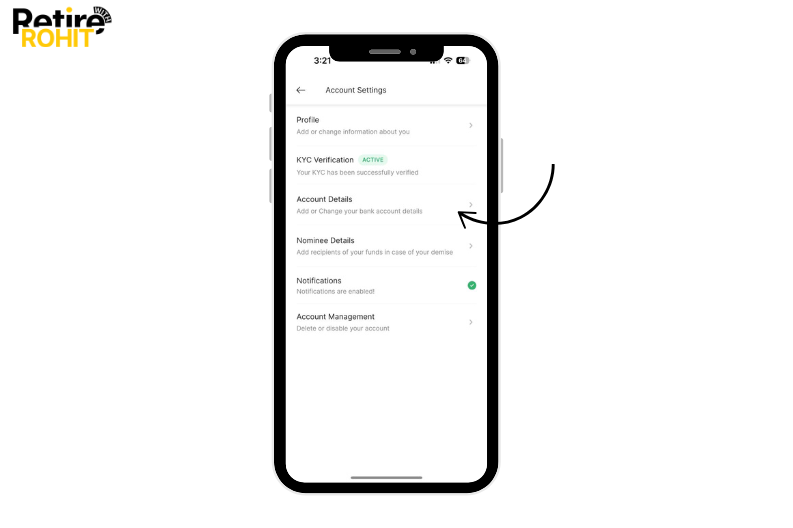
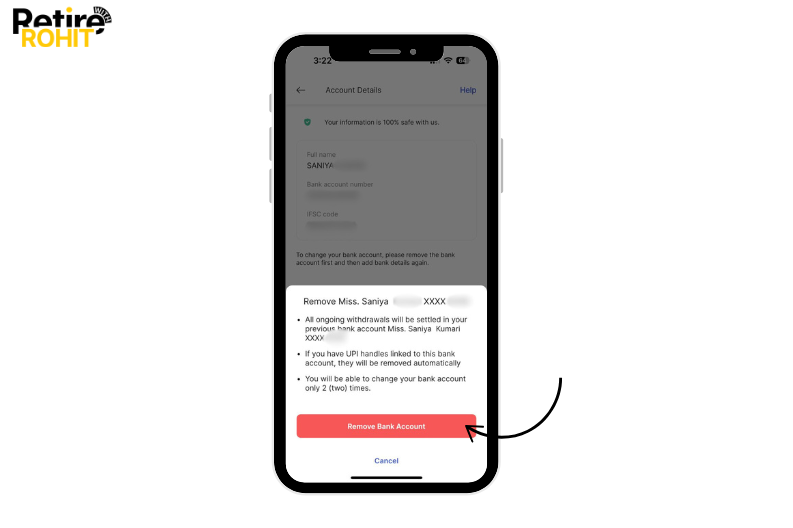
- After that remove the bank account.
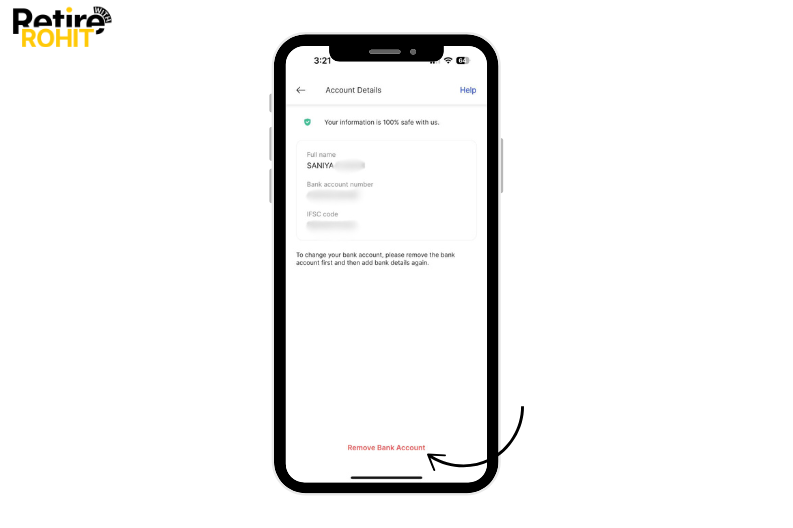
- Tap on the Remove bank account button.
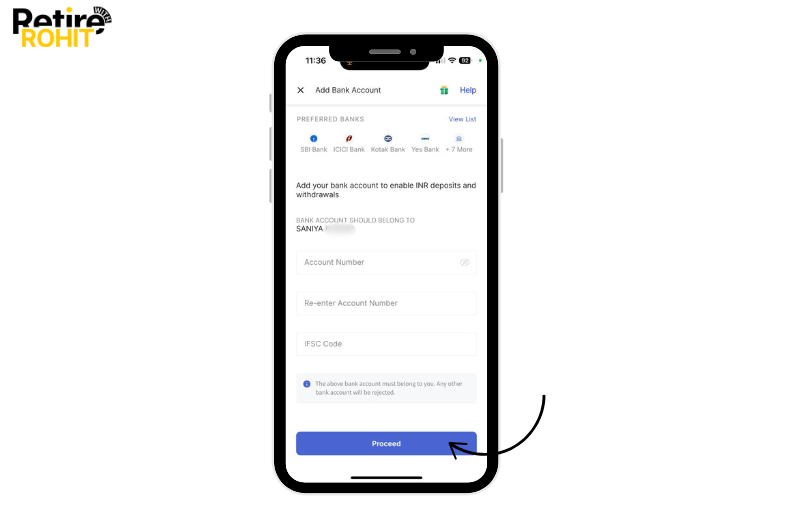
- Now enter your Account number, re-enter your account number, and IFSC code, and Then tap on the proceed button.
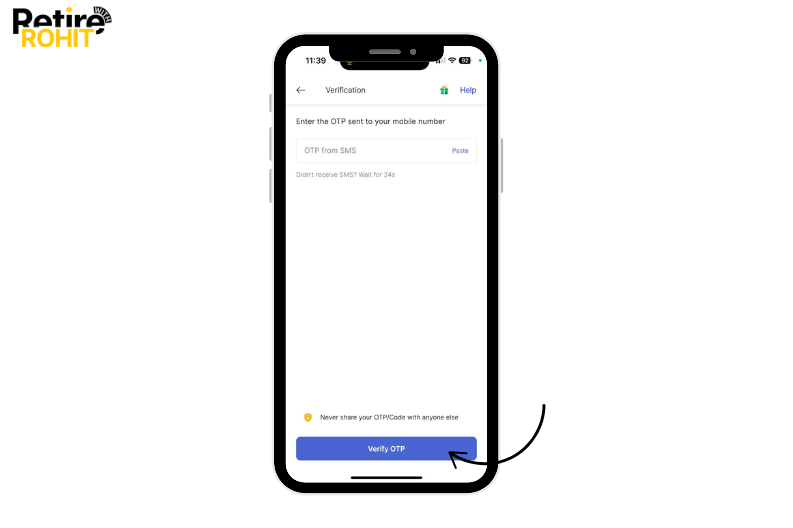
- Enter the OTP from SMS, and then tap on the verify OTP.
Conclusion
In conclusion, this platform does not allow adding a secondary bank account, the users need to delete the current one to add another one. You can change many other settings in this Coindcx such as mobile number, mail, and many more as they offer financial services to their users but first, you have to create an account.