How to Add a Nominee in the Dhan App?

Adding a nominee to the Dhan platform ensures that your investments are secure and can be easily transferred to your chosen beneficiary in case of an unfortunate event. This platform allows users to add nominees to their accounts for their future financial planning. So, here we will discuss how to add a nominee in the Dhan app.
Steps to Add a Nominee in the Dhan Platform
Here are the steps to add a nominee to the Dhan platform:
- Open the Dhan app.

- Tap on the Profile icon.
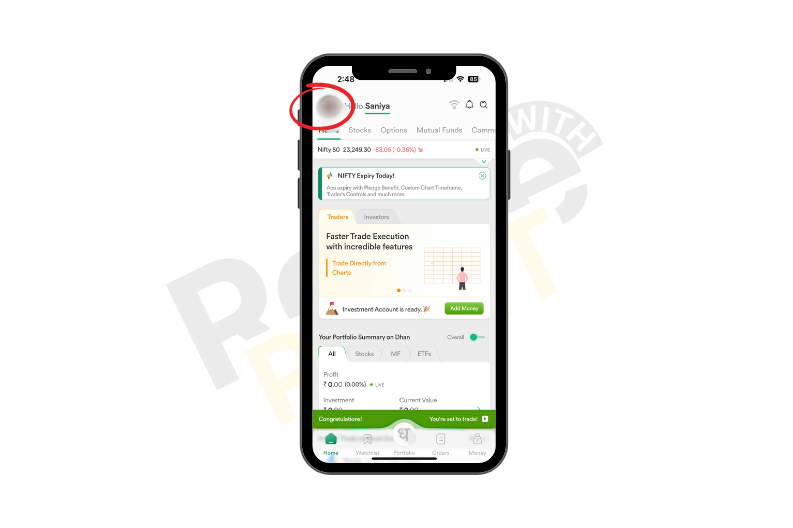
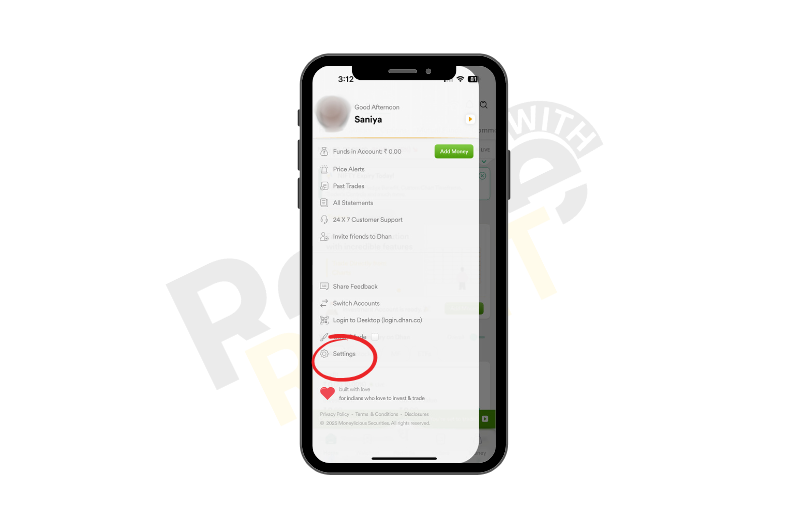
- Then tap on the settings.
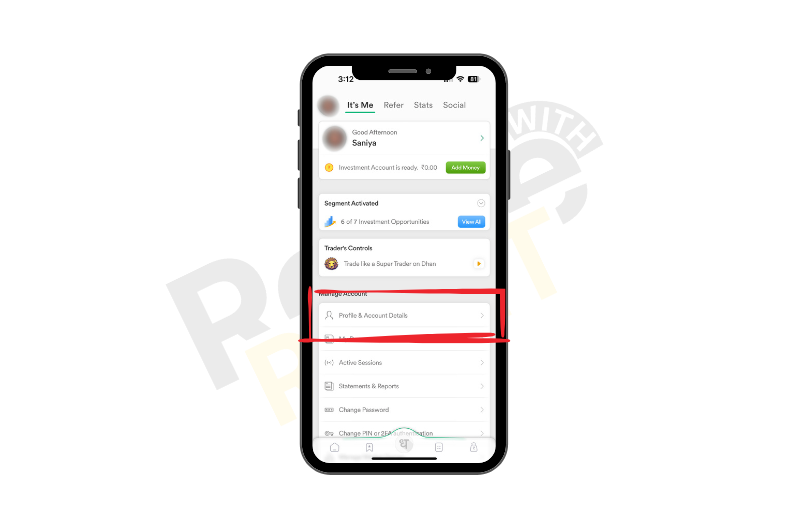
- Tap on the profile and account details.
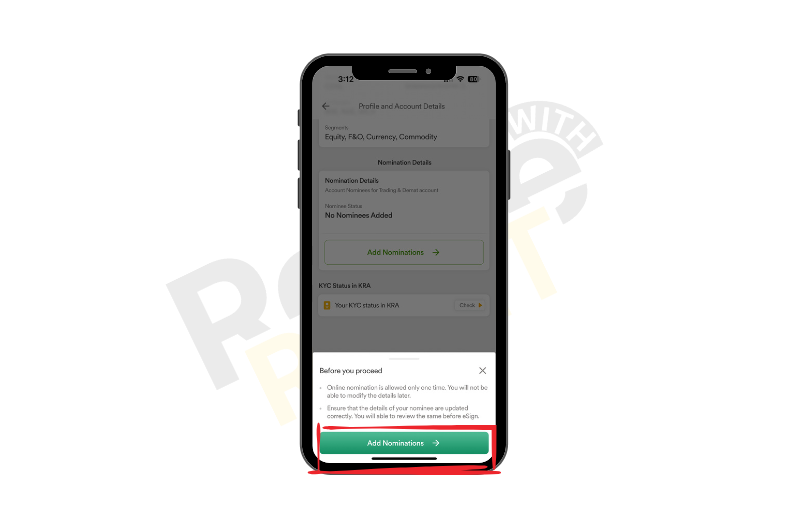
- Scroll up and tap on the Add nominations.
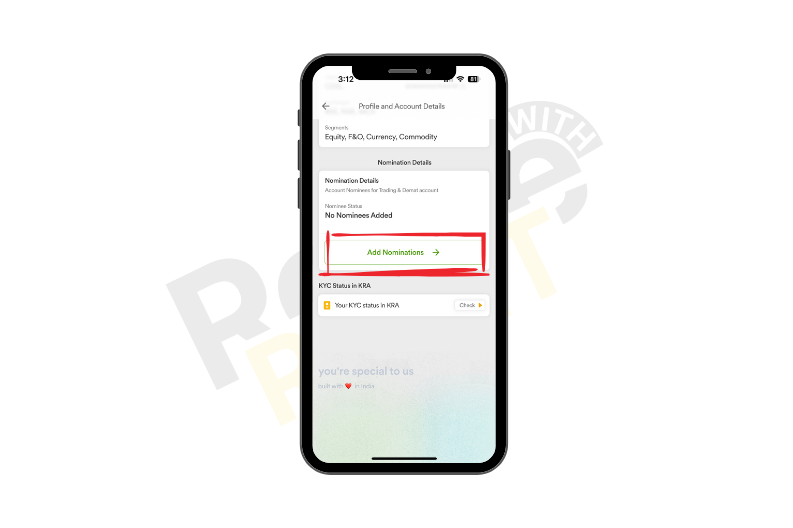
- Tap on the Add nominations.
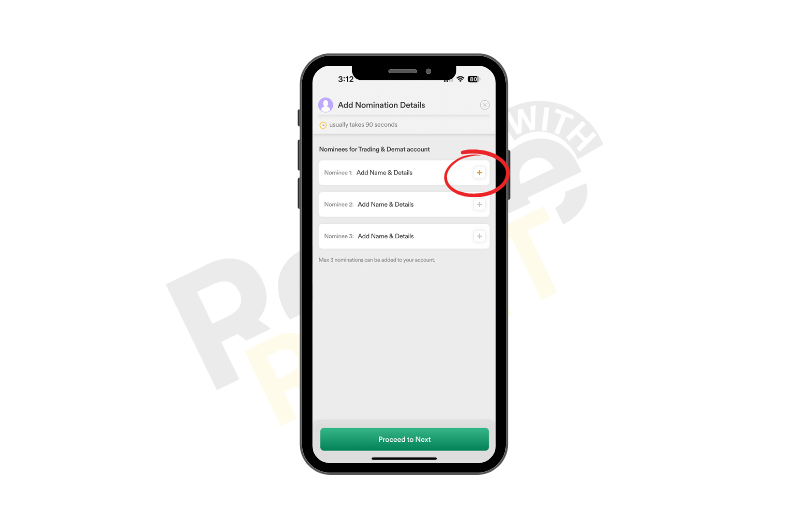
- Now tap on the add icon.
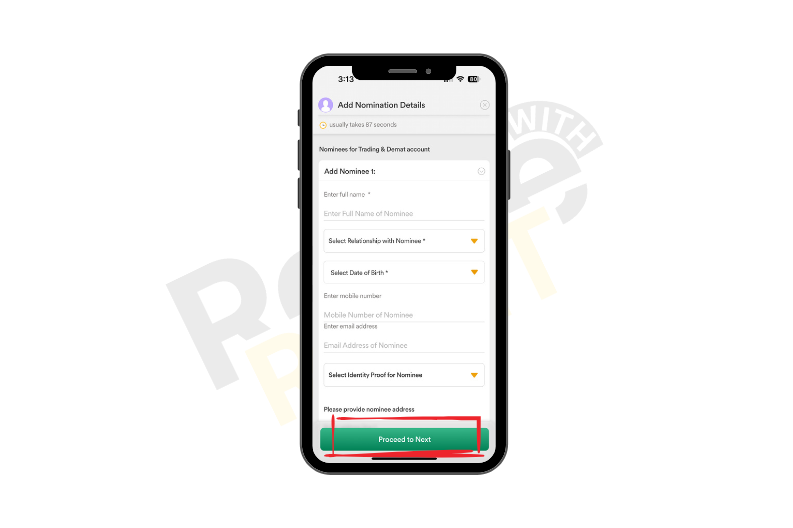
- Fill up the form, and tap on the proceed button.
Conclusion
In conclusion, adding funds to the Dhan app is an easy yet crucial process for your investment, so following the steps given above is crucial to ensure that your financial assets are easily accessible to your favorite beneficiary. So we hope our blog on how to add a nominee in the Dhan app.